
BOM Line Item
On this page
BOM Line Items are used to manufacture the end products. As manufacturing progresses through multiple phases, each BOM Line Item specifies exactly which components are needed at each stage, ensuring the right materials are available at the right time.
Every BOM Line Item captures key details — product name, description, required quantity, unit of measure, and procurement type — serving as a single, reliable source of truth for production.
Axolt provides full flexibility to configure different types of BOM Line Items to match your specific business requirements
Creating BOM line Items for Manufacturing Product:
- Navigate to the Products tab using the App Launcher or find the tab in the App Navigation menu.
- Select the manufacturing product for which the BOM is required.
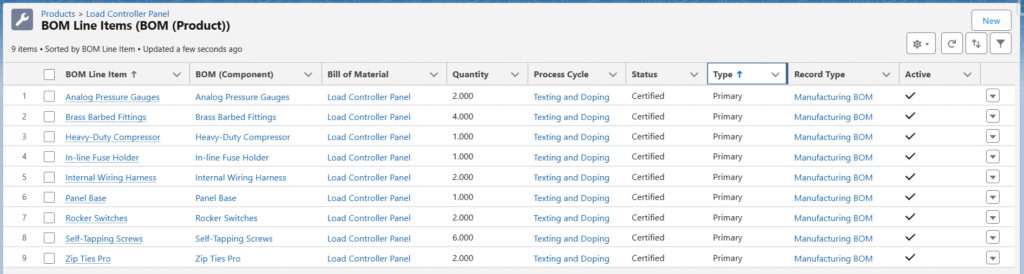
- In the Related tab, find BOM Line Items (BOM (Product)) and click New.
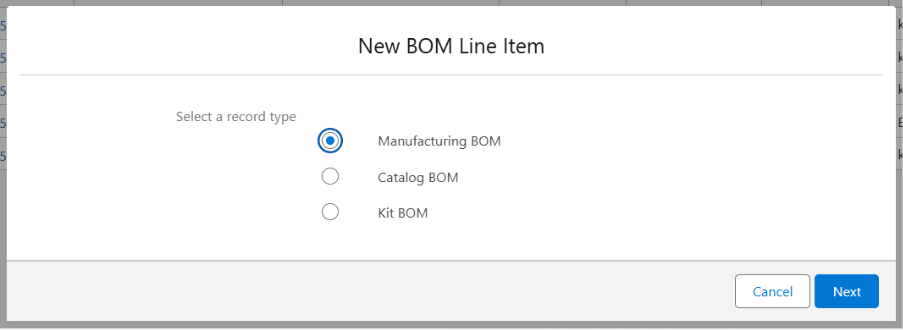
- From the BOM Line Items Record Type, select Manufacturing BOM and click Next.
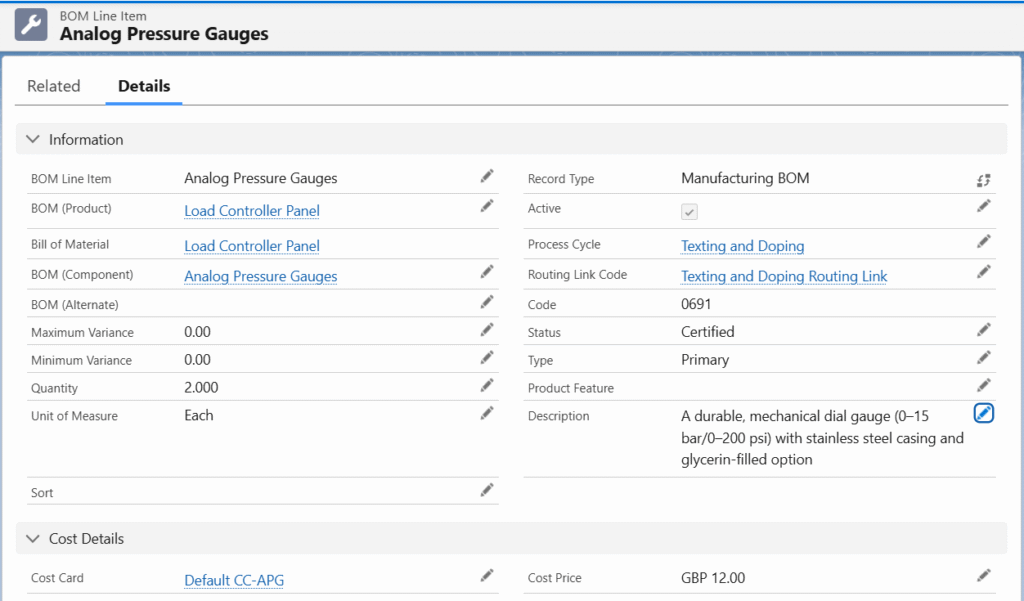
- Enter the BOM line-item Name and select the Active check box.
- Select the Process Cycle and its Routing Link Code in which the BOM line item is used, the BOM (Product) will be auto populated.
- Assign the Bill of Material, and BOM (Component).
- Enter the Quantity and select the Unit of Measurement.
- Set the Status as Certified, the Type as Primary, and add a Description if required.
- Enter the Cost Price under the Cost Details section. (If applicable)
- Click Save to create the BOM line-item record for the selected manufacturing product.
BOM Line Item – Field Description
| Fields | Description |
| BOM Line Items | Describes the name of the BOM being created. |
| BOM (Product) | The main manufacturable product |
| Bill of Material | The version of the BOM for the product |
| BOM (Component) | The actual BOM line-item product |
| BOM (Alternate) | Alternate BOM Line Item. The MRP will automatically be created using the Alternate BOM when stock is not available for the Primary component(s). |
| Maximum Variance | Defines the allowable quantity deviation for a BOM component. Example: If the BOM quantity is 5: Minimum Variance = 3 → manufacturing can be completed by consuming as low as 3 units instead of 5. |
| Minimum Variance | Defines the allowable quantity deviation for a BOM component. Example: If the BOM quantity is 5: Maximum Variance = 7 → manufacturing can be completed by consuming up to 7 units instead of 5. |
| Quantity | The number of components required for manufacturing or purchasing |
| Unit of Measure | The measurement unit in which the component is used |
| Sort | A numeric field that determines the display and processing order of the record |
| Cost Card | A reference to the cost Card associated with the actual component. |
| Cost price | The cost of the component used in the BOM |
| Record Type | BOM Line Item category. |
| Active | Indicates whether the BOM line item is active in the system |
| Process Cycles | Indicates the process cycle in which the BOM component is used |
| Routing Link Code | Simple code created for each Process Cycle. Assign both the Process Cycle and its Routing Link code to the BOM line item to generate correct MRPs. |
| Status | The status of the BOM (e.g., new, certified, closed) |
| Type | Specifies the type of BOM (e.g., Alternate, Primary) |
| Description | A description of the BOM line item |
The BOM Line Items can be created in just a few clicks from the MO Product Configuration screen — no need to manually fill every field one by one. Simply enter minimal key information and the system instantly generates all related records in seconds.
Was this article helpful?