
View/ Edit Orders of an existing customers
On this page
This article is not available in Français yet. You are reading the English original.
The Epos screen allow you to view the existing or update it.
For example, if the order was created but the logistic was not initiated, the customer can return and inquire about/update the order at any time in the future. The customer can either remove the products or add a few more products to the order.
The process to view/edit a sales order is discussed below.
- On the Orders section located on the right-hand side of the screen, enter the unique order number in the “Order’ Lookup field.
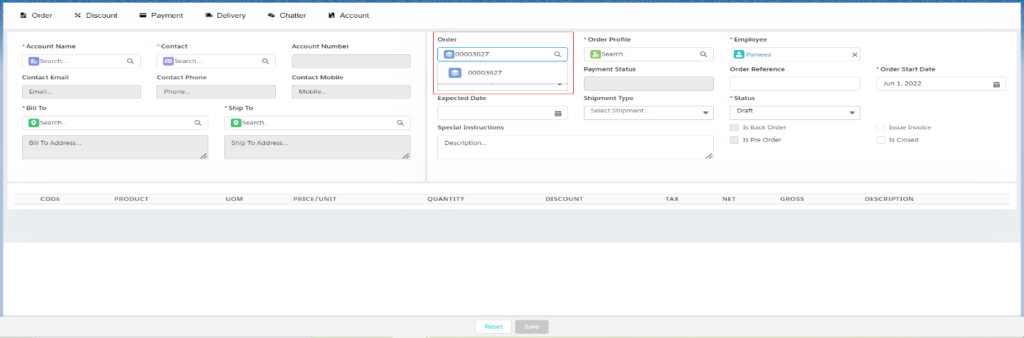
The system displays the details of the selected order. You may add products to the product line item section or you can Edit or delete the existing order products.
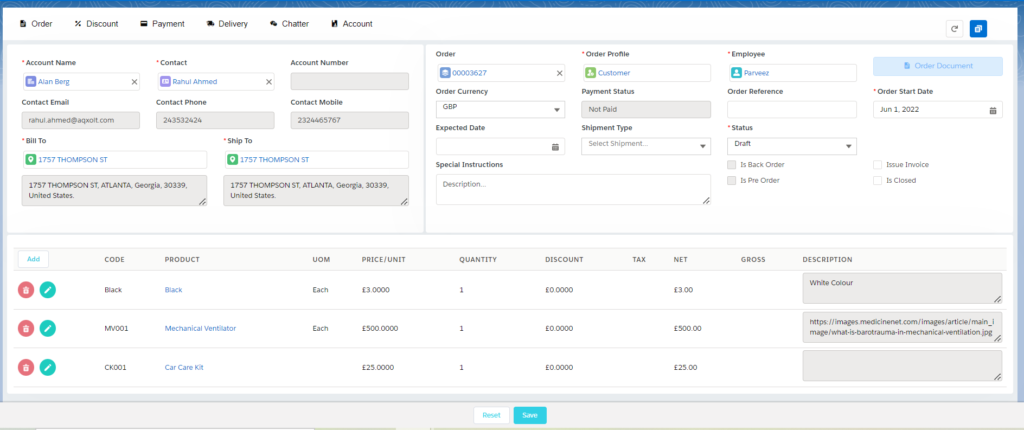
Creating an invoice through the Epos tab:
The epos tab also allows you to create an Invoice record for the existing orders or the newly created one.
Click on the Payment option, to create the invoice.
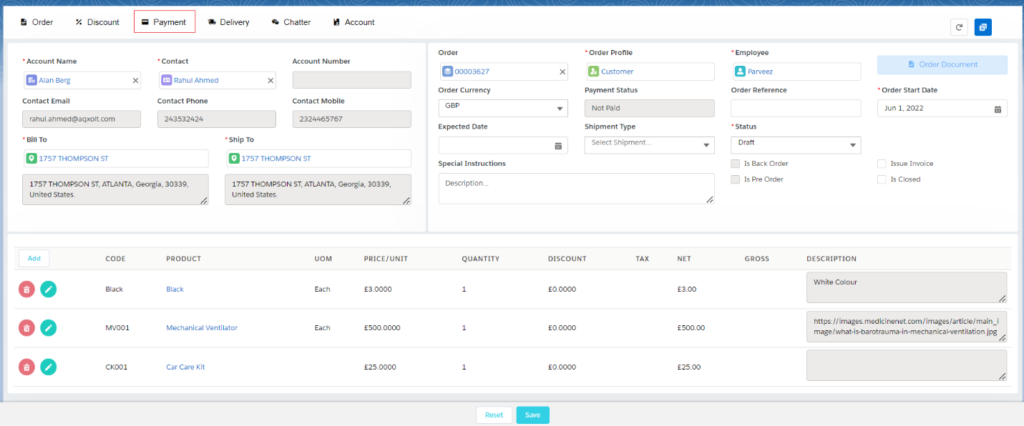
Once you click on the Payment option, you can see the Amount details along with the Invoice creation option.
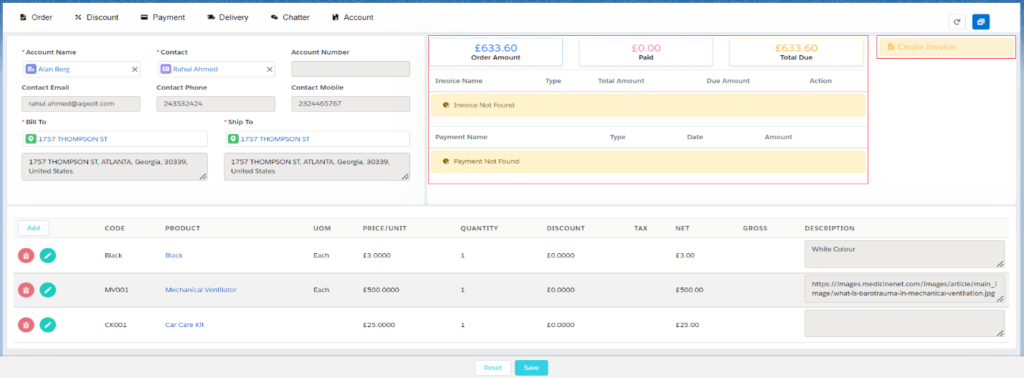
Click on the Create Invoice button, Select the record type (Sales or Advance), Select the Line items and click on the Save button.
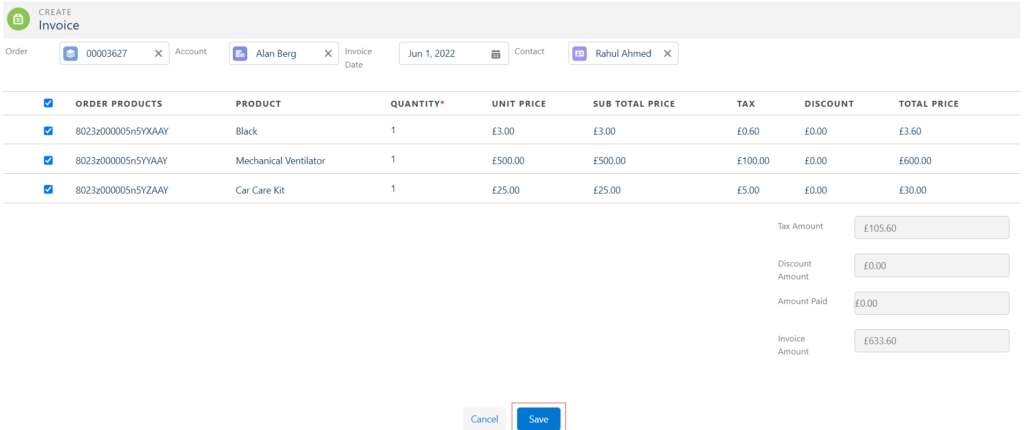
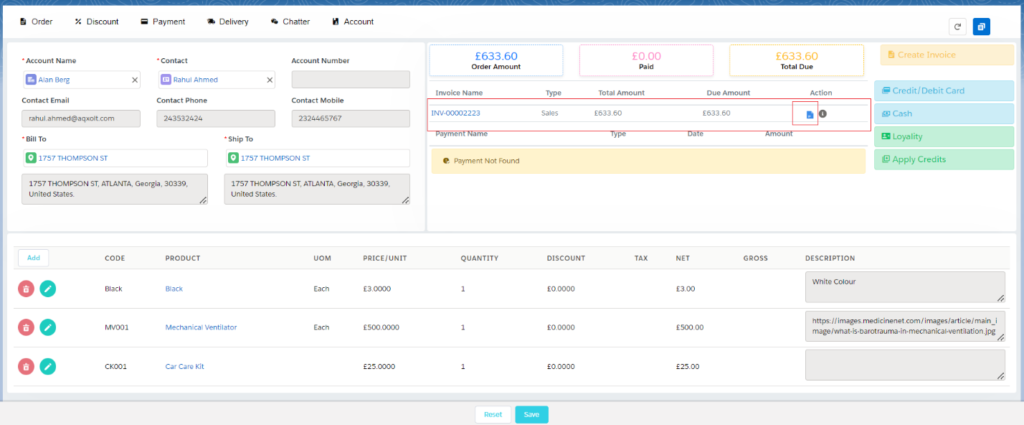
Once you click on the Save button, the system will create the invoice record and you will be able to see the created invoice records in the payments section, you can click on the Invoice Document icon if you want to print the document or send it to the customer.
The function is used to receive payments from customers who have purchased your products and services and who have not already paid for them.
When you sell a product/service, the order is created through order processing. The order processing functionality provides for the entry of payments and can be done via the following payment methods.
- Cash
- Bank/Cheque
- Credit Card/Debit Card
- Loyalty
The system can accept partial payments and can record multiple payments for each order.
When the customer books an order, the system typically creates an invoice in the system which can be sent to the customer’s email ID.
Was this article helpful?