
Supporting BOMs
On this page
This article is not available in Français yet. You are reading the English original.
Supporting BOMs: – Supporting BOMs are used for the Configurable products while creating the Quotes Quote Console. If you assign any Supporting BOM to a Product, that supports BOM will be displayed as a Bill of Material in the Product Version after creating the Quotes.
Steps: –
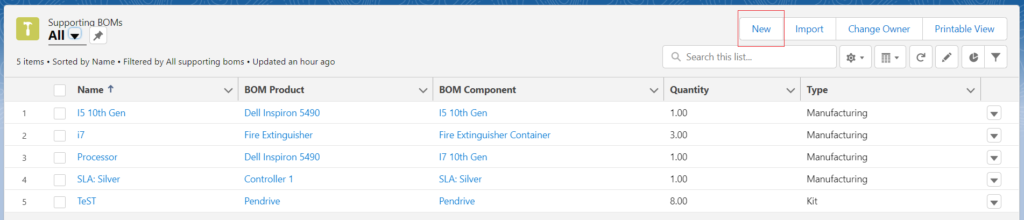
- Find the Supporting BOMs tab from the App Launcher.

Click on the New button from the Supporting BOMs records page.
Enter the Name (name should be same as BOM Component), select BOM Product, Quantity, Type and click on Save.
In the below screenshot, Panel 1 is the Supporting BOM of Controller 1.
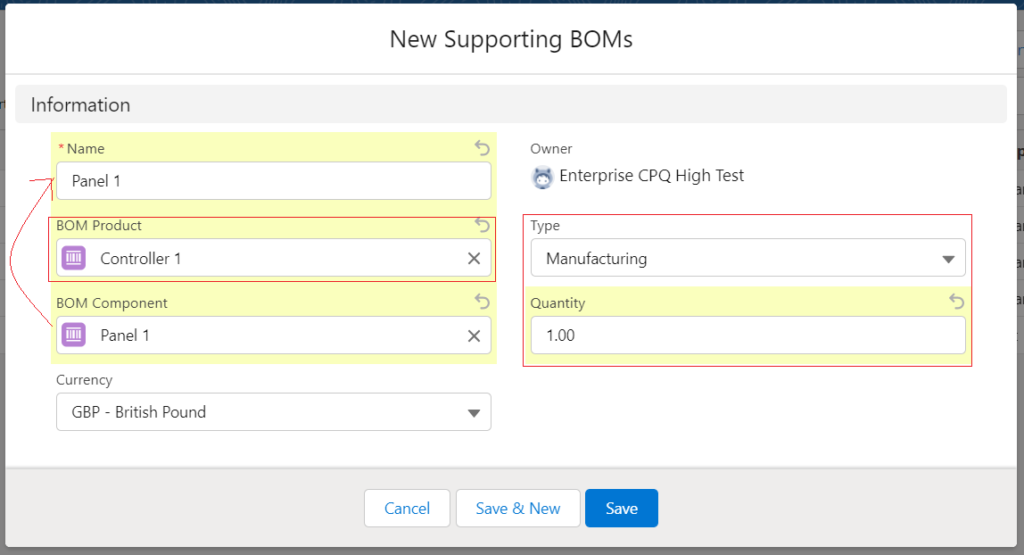
You can associate a product as a Supporting BOM to another Product using the Supporting BOMs tab.
Was this article helpful?