
Create Sales or Advance Invoices for the Orders
On this page
This article is not available in Español yet. You are reading the English original.
The Aqxolt CPQ allows you to create a Sales Invoice record for activated orders just in two clicks.
Also, you can create Sales or Advance Invoices for orders manually.
- Create the invoice record for activated orders from Order level automatically: –
- Open the Order record, click on edit, check the Issue Invoice checkbox, and click on the Save button. Your Invoice record will gets created.
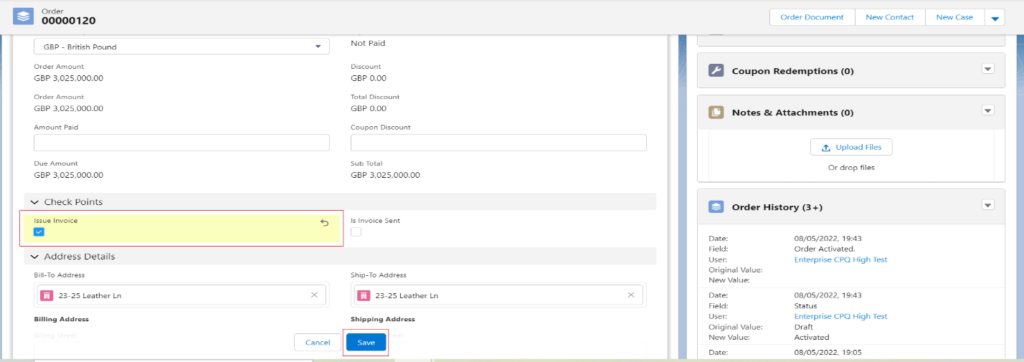
2. Create the Sale or Advance invoice record for activated orders from the Order level.
Open the Order record, find the Invoice object (related list of Order) and click on the Create New button.
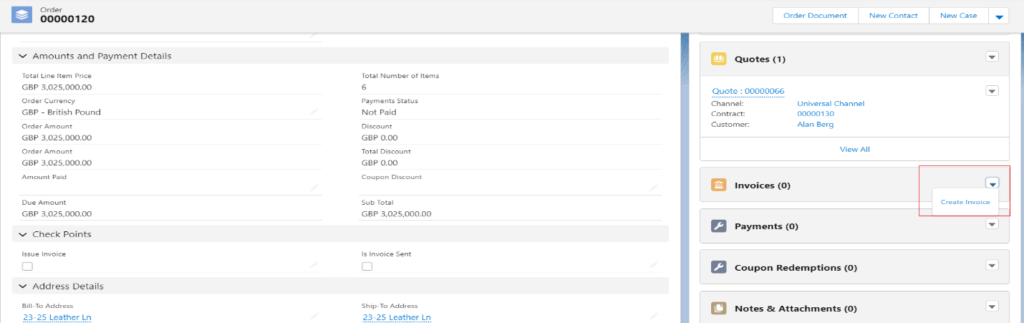
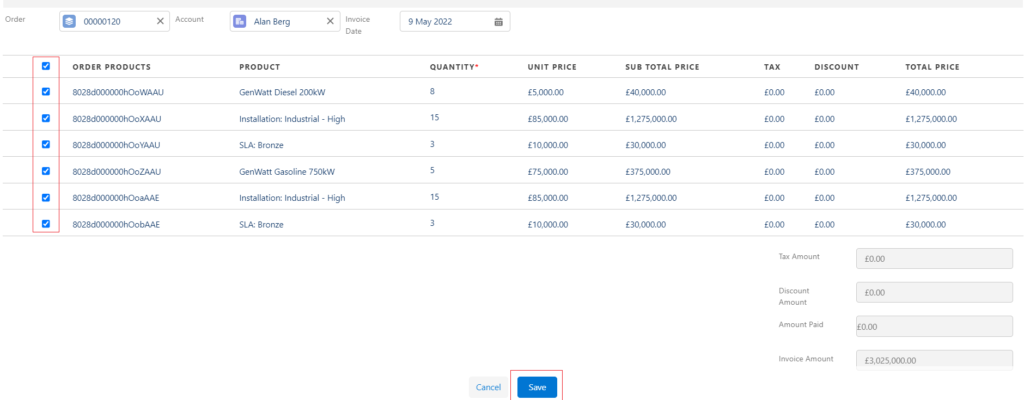
Select any record type (Sales) and click on the Next button, the system will take you to the Invoice creation page. Select the Line Items and click on Save button to create the Invoice record.
After clicking on the Save button system will create the Invoice record and will take you to the Order record page again.
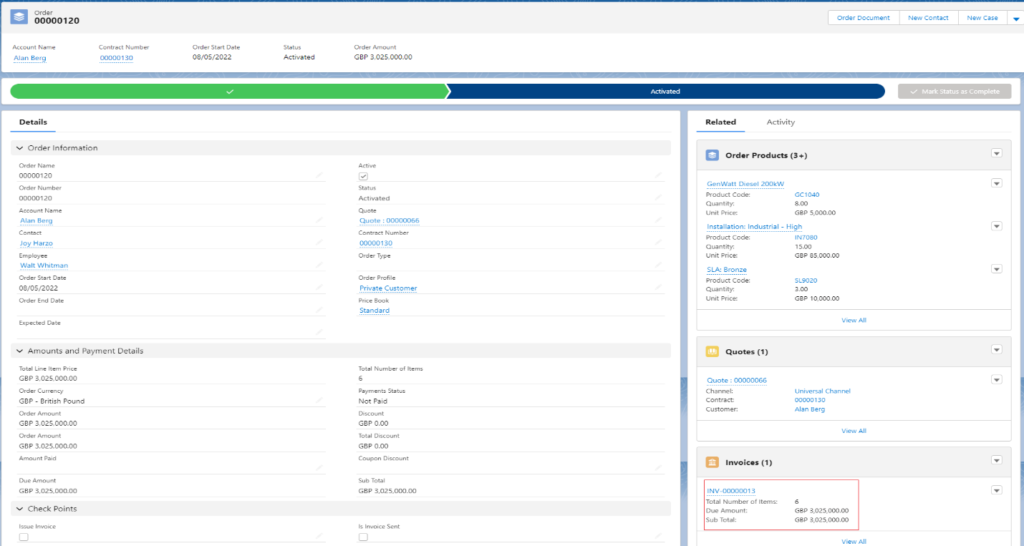
Note: – If you want, you can create an Advance Invoice for the Orders by selecting the record type Advance on the record type selection page.
Was this article helpful?