
Calculate P & L
On this page
This article is not available in Español yet. You are reading the English original.
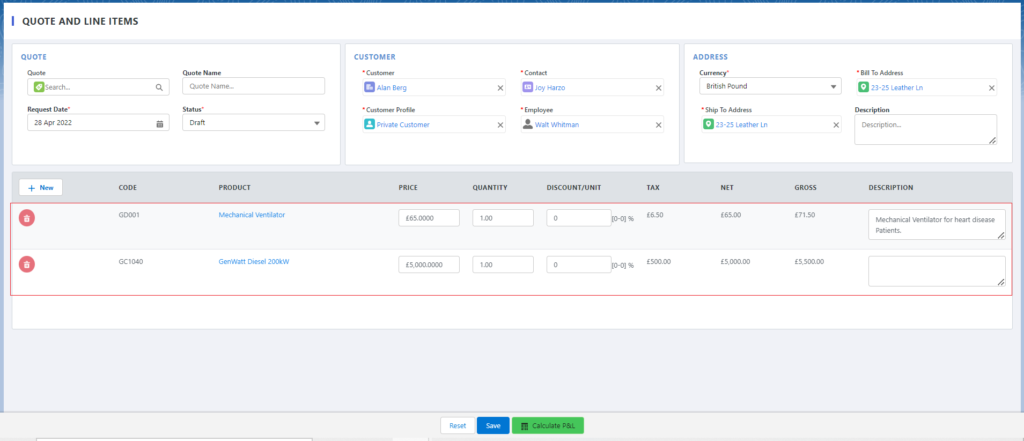
- You can edit the records like Price, Quantity, Discount/Unit, and the Description of the added products.
- You can see the Profit and Loss calculation on the Calculate P&L page. Click on the green color Calculate P&L button and the system will take you to the Calculate Profit and Loss page.
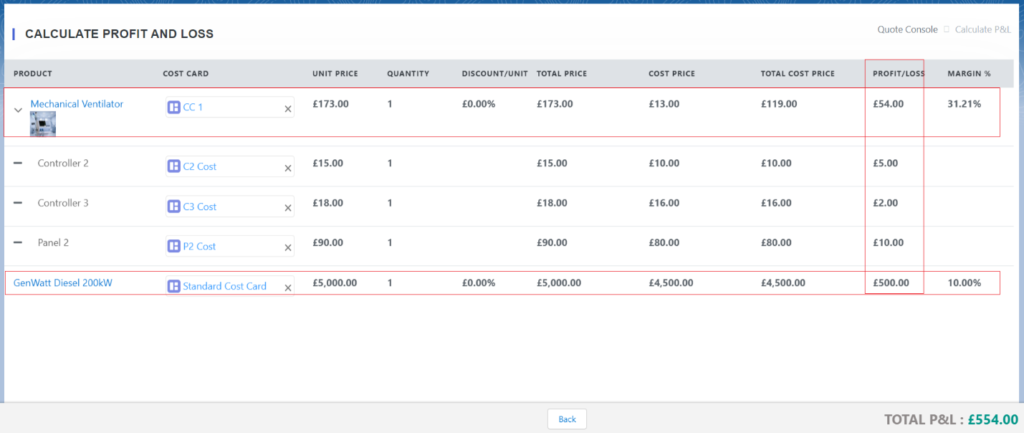
Note: – The system calculates the Profit and Loss based on Unit Price (Unit Piece coming from Price Book, also editable) and Cost Price (Cost Price coming from Cost Card).
- Click on the Back button from the Calculate P&L page, on Quote and Line Items page check all the records, and click on the Save button to create the Quote.

Was this article helpful?