
PayPal
On this page
This article is not available in 日本語 yet. You are reading the English original.
Aqxolt ERP supports PayPal to make online and electronic payments.
Add your PayPal account on Aqxolt ERP.
Navigate to the Credential Setup tab from App Launcher.
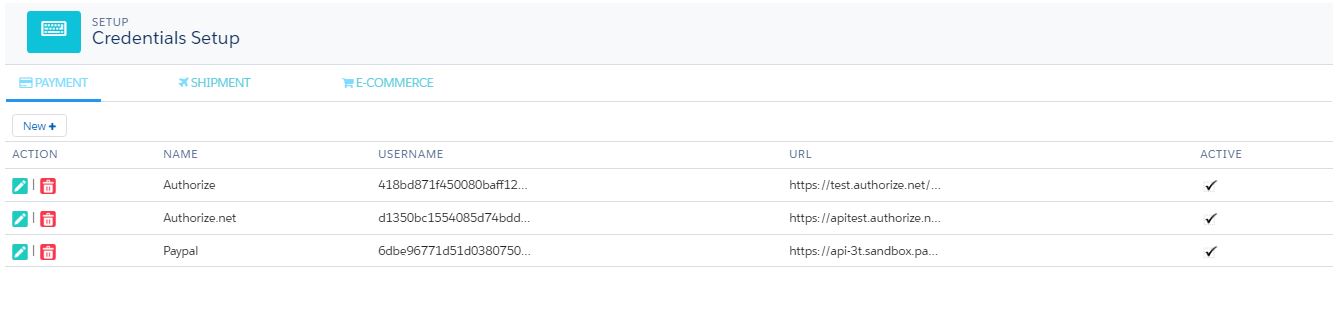
The page has three tabs Payment, Shipment and E-Commerce.
On the Payments, tab click on New
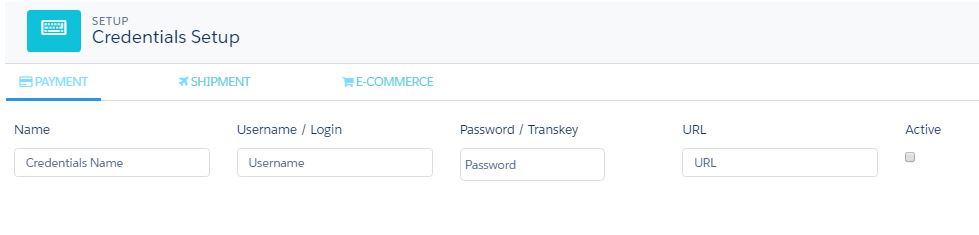
Fill in the PayPal account login details. Keep the Name as PayPal and add the username/login and Password.
Check the Active checkbox.
The URL can be tested or live depending on the sandbox account or live account being used.
Test URL – https://api-3t.sandbox.paypal.com/2.0/
Live URL
Was this article helpful?