
Woo Commerce
On this page
This article is not available in 日本語 yet. You are reading the English original.
Woo Commerce is used to sync products from the Salesforce instance to the Woo Commerce store and sync orders and customer accounts from the Woo Commerce store to the Salesforce instance.
Extensions do all the sync processes, no manual sync is required. It auto-syncs every 10 minutes.
After connecting your “Heroku user” with the “Salesforce Instance,” click on the “WooCommerce” app, and you will land on the “WooCommerce Dashboard.”
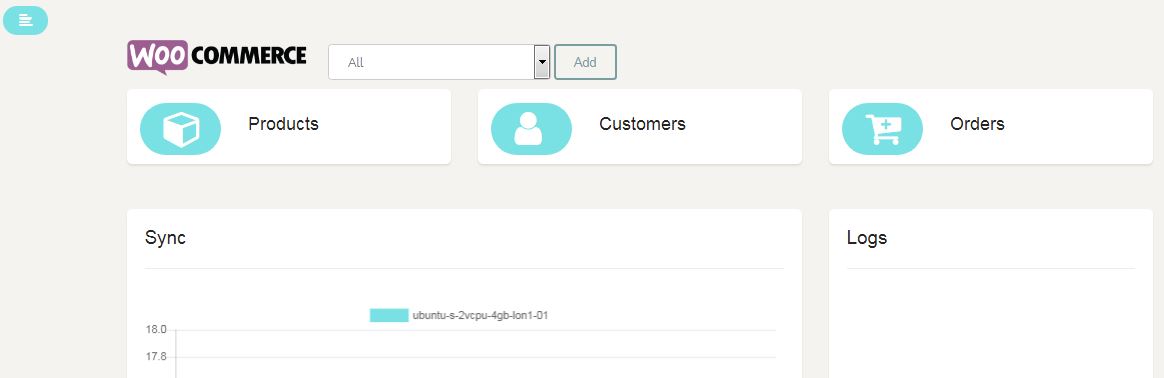
Click on the “Add” button and copy the “Token” to add in the “WooCommerce Instance.”
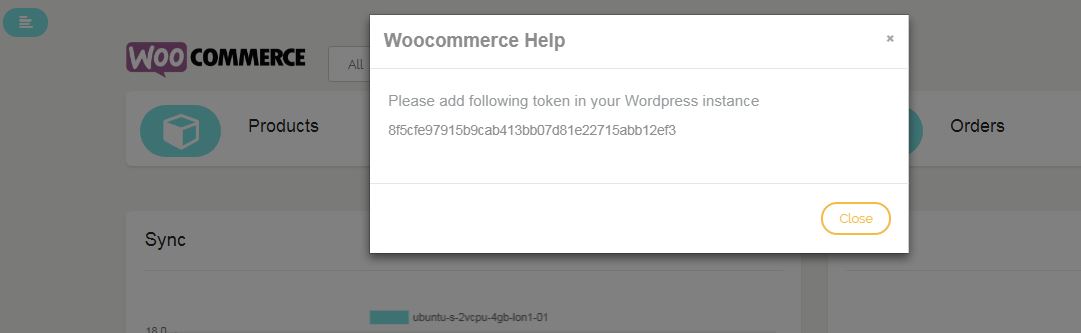
- Now Login to your “WooCommerce Instance” admin account
- On the left-hand side menu, panel Navigate to Store Name > Configuration
- You will land on the “Store Configuration” page
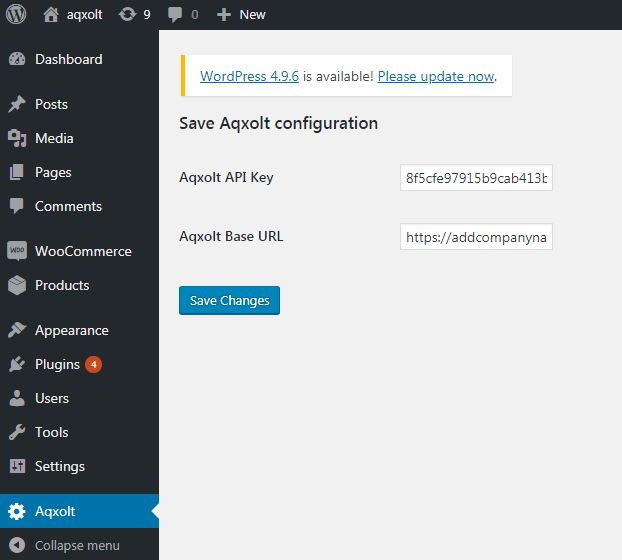
- Paste the copied “WooCommerce Token” from “Heroku Connector” in the “Aqxolt API Key.”
- Add the “Aqxolt Base URL” which is our “Heroku user URL,” e. https://aqxolt.herokuapp.com
- In the Salesforce instance, Products should have the basic e-commerce
- Available on e-commerce platform checked on the product detail page, and product SKU code should be added.
- In the related list e-commerce record select WooCommerce checkbox.
- And the product should have inventory.
- Customer Address should be real.
In every 10 minutes, it syncs products to woo commerce instance and orders and customers to salesforce instance.
Was this article helpful?