
eBay
On this page
This article is not available in 日本語 yet. You are reading the English original.
eBay Shipping Methods –
https://developer.ebay.com/devzone/xml/docs/reference/ebay/types/ShippingServiceCodeType.html
Create sandbox accounts for testing using the following URL
Developer’s account (for creating new sandbox users)
https://developer.ebay.com/my/auth/?env=sandbox&index=0
Create two accounts considering one as a Buyer Account and one as a Seller Account.
To sync Products from Salesforce to eBay selling store, product setup has to be done in a proper way making sure the following things are covered
- Available on an e-commerce platform and is checked on the product detail page.
- Add Product SKU and ASIN code
- Add category and subcategory of the product
- In the product related list, create e-commerce object record and select eBay checkbox
- Create a Warranty and Return Policy Record
- Create a Shipping and Handling zone record from the Shipping Zone Object. Add the Distribution Channel, Shipping Type, Flat Rate, Dispatch time, Country and State.
Go to Heroku user and click eBay. Once you are on the eBay dashboard, click on the “Add” button
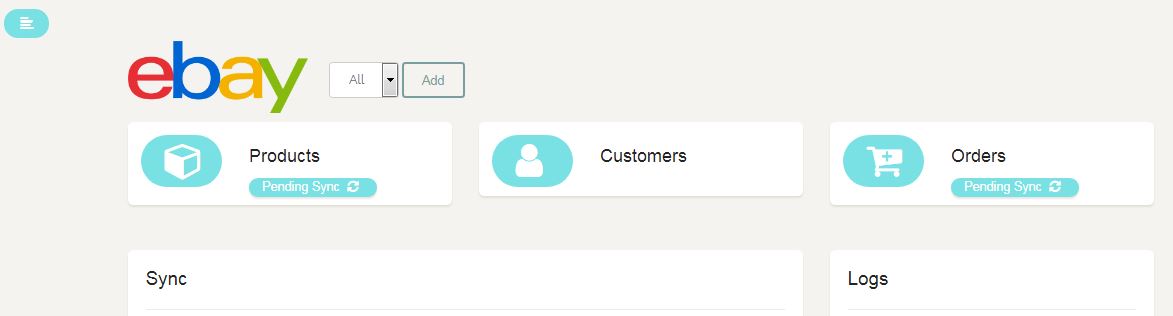
- It will redirect to the eBay login page.
- Enter your eBay seller store credentials.
- Agree on the Grant Application access permissions
- Click on the “Product Sync” button on Heroku app this will create the product in the eBay seller account.
When orders are placed on the eBay store, they get synced to “Salesforce Instance” as “Sales Orders” and “Sales Order Line Items.” This has to be done manually by clicking Pending Sync for Orders on the Heroku user eBay dashboard.
As part of sandbox testing,
Copy the “Product URL” from the “Seller Account” and paste it into the “Buyer Account” and then buy the product and continue making payment by clicking “Pay Now.”
Then go to the Heroku user and sync the order, this will create a customer account and a sales order in the Salesforce instance.
Was this article helpful?