
Add/Edit Products
On this page
This article is not available in Deutsch yet. You are reading the English original.
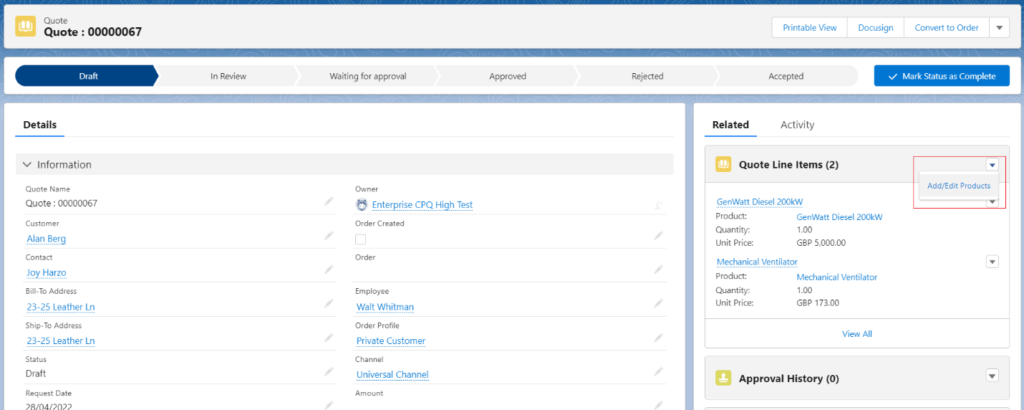
Add/Edit Products: – Using the Add/Edit button you can add a new product to the Quote, or you can edit the existing Quote Line Items.
- Once you create the Quote open the Quote record and click on the Add/Edit Products button available for the Quote Line-Item related list.
You can Add or Edit the Line item records from the Add/Edit Products home page.
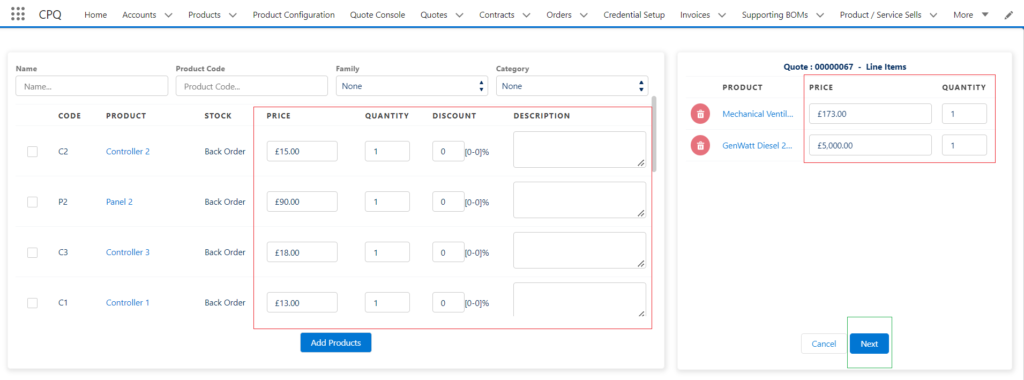
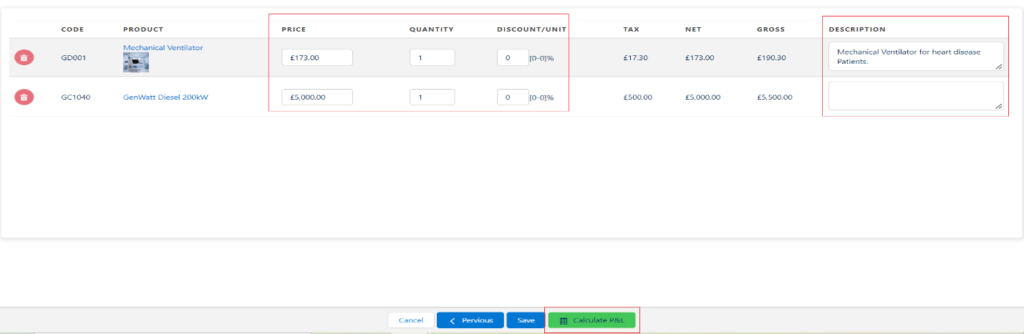
You can Edit the Line item records and see the Calculation Profit and Loss from the Add/Edit Products final page. Click on the Next button available on the home page, see the above screenshot.
Was this article helpful?