
Product Catalogue
On this page
This article is not available in Deutsch yet. You are reading the English original.
ERP Product Catalogue is the best way to present the products of your company. You can group the products by product categories and sell them or receive purchase requests
Open the created Community/Site from the App launcher.
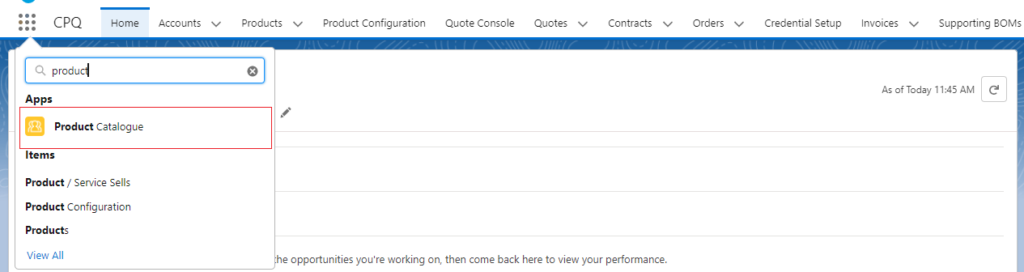
Once you click on the Community/Site, the system will take you to the Products catalogue Community home page.

On the home page, you can see the Products, their price, and the available stocks, also you can search any products using the search bar and you can filter the products by Category wise.
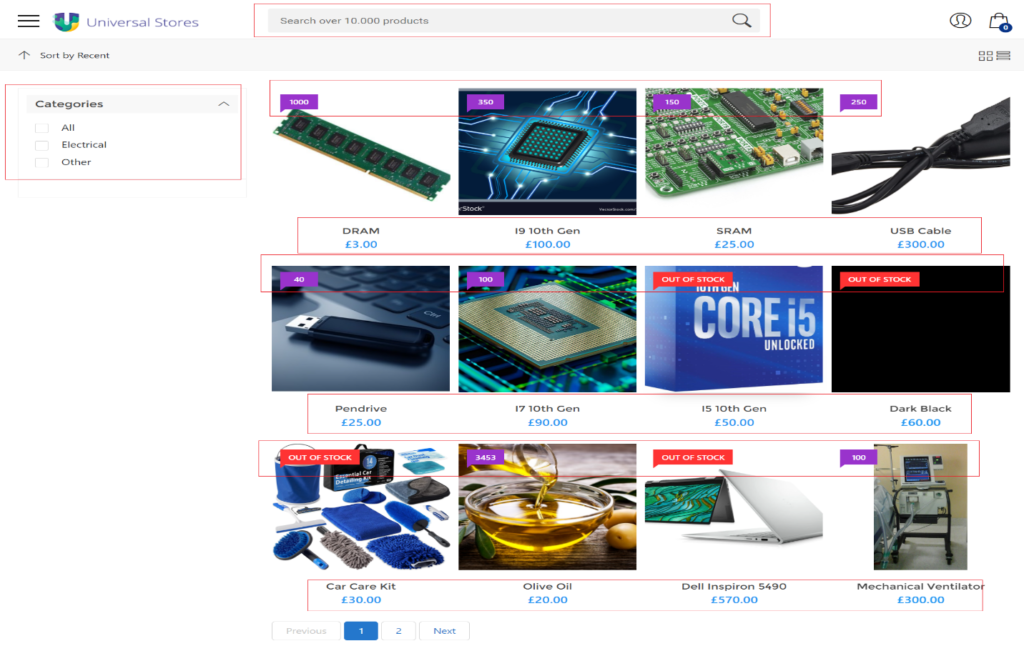
- You can add the products into your cart if products have stocks by clicking on the Cart icon or Add to Cart Button.
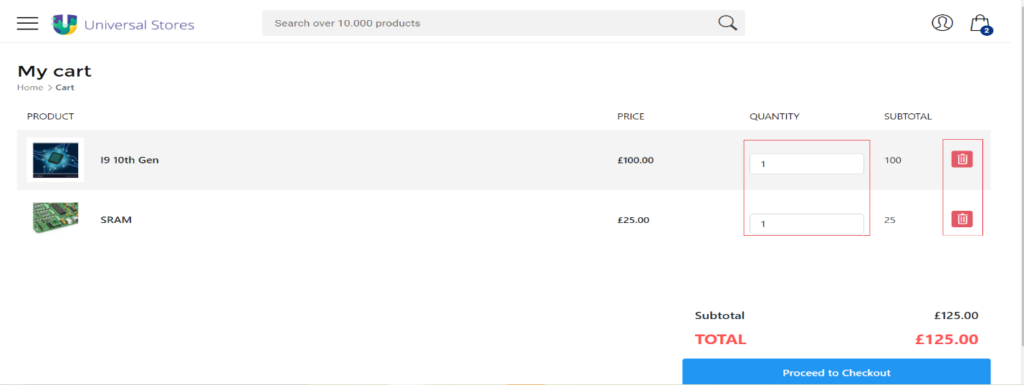
- You can delete the added products from your cart or increase or decrease the quantities.
Once you added products into the cart, you can make the payments using the Proceed to Checkout.
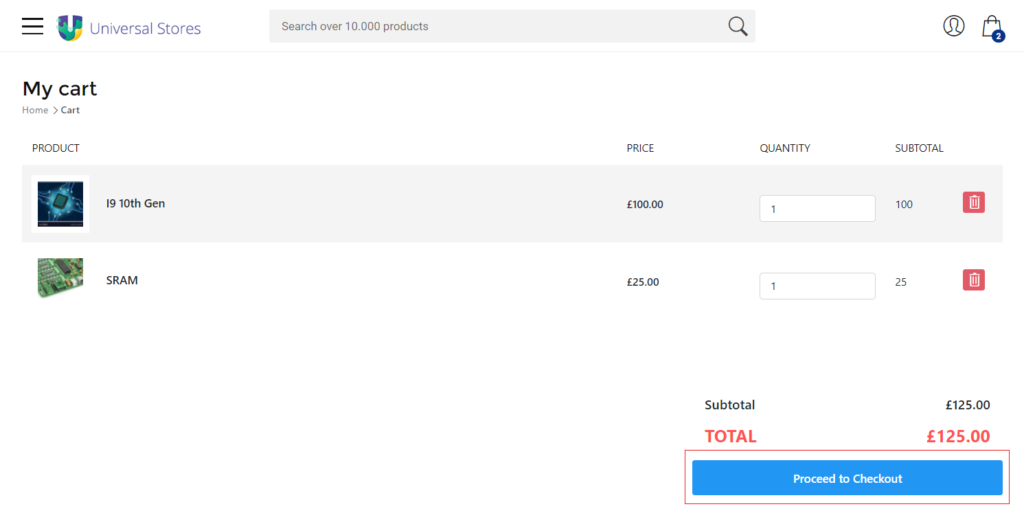
Once you added products into the cart, you can make the payments using the Proceed to Checkout
Was this article helpful?