
Getting started with Axolt CPQ
On this page
Pre-Configuration :
- The Axolt Base Package must be installed before installing the Logistics Package.
- If the system throws an error while installing the packages, raise a case with Salesforce to increase the active filter lookup limit to 10 and the Rollup Summary field limit to 40.
Follow these steps to install the Axolt Base Package. Coming Soon…
Follow the steps below to install the Axolt Logistic Package:
- Navigate to the AppExchange and search for Axolt Logistics: Salesforce Inventory Management, Supply Chain & Shipping
- When the application appears, click on its Name.
On the application detail page, we have two options:
A. Get It Now – Clicking on Get It Now, you will have below option:
a. Log in with Trailblazer.me
B. Try It – Clicking on Try It, you will have three options:
a, Try in your Sandbox
b. Try in a Test Drive Org
c. Try In a new Trailforce Org
A. Get It Now – Install the package in a Production environment (including Developer Edition orgs).
a. Log in with Trailblazer.me
- After clicking the Get It Now button, it will navigate to the screen below.
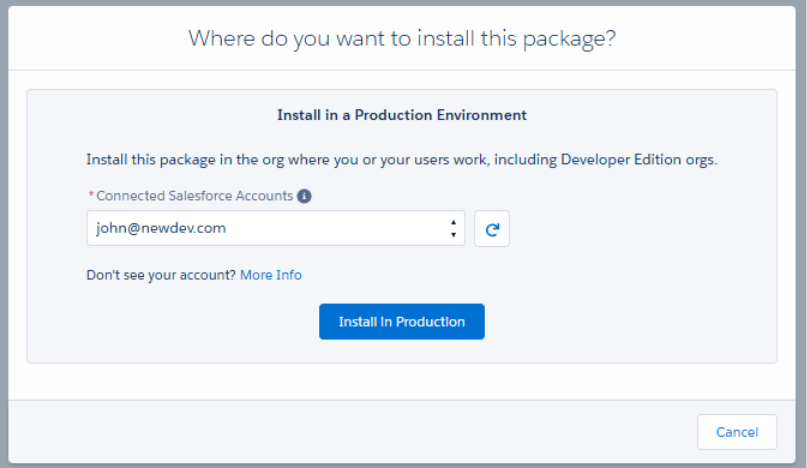
- Once an account is selected, the Install in Production button will be enabled. Click on Install in Production.
- Once an account is selected, the Install in Production button will be enabled. Click on Install in Production.
- You will then be taken to a confirmation screen. Review the details, select the checkboxes below, and click Confirm and Install.
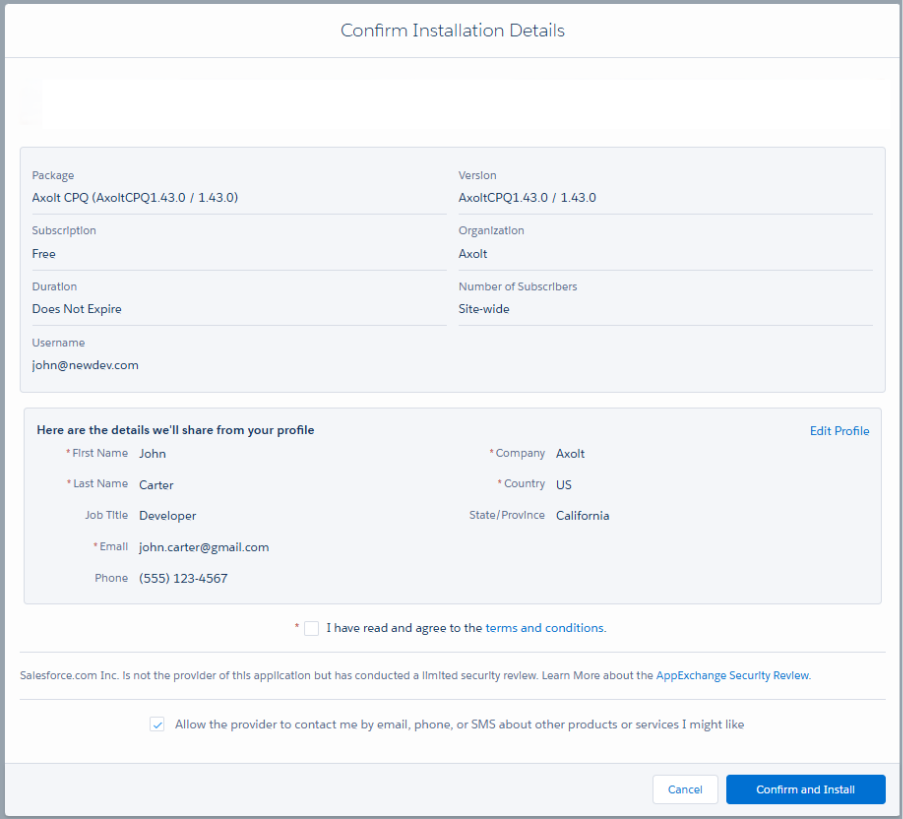
- After clicking Confirm and Install, you will be redirected to the login page.
- Enter your Username and Password, then click Log In to proceed.
- Once logged in, you will be directed to the package installation screen.
- Enter the Installation Key (“Aqxolt55”), select Install for All Users, and click Install.

- Once the package is successfully installed, users will receive a confirmation email.
B. Try It – Install the package in a Sandbox environment. You can try it in Test Drive or in a new Trailforce org.
- Navigate to the AppExchange and search for Axolt CPQ: Streamlined Quoting on Salesforce for Manufacturing & Retail.
- On the application detail page, click Try It and follow the prompts to begin the installation process.
- After clicking Try It, you will be redirected to the screen below.
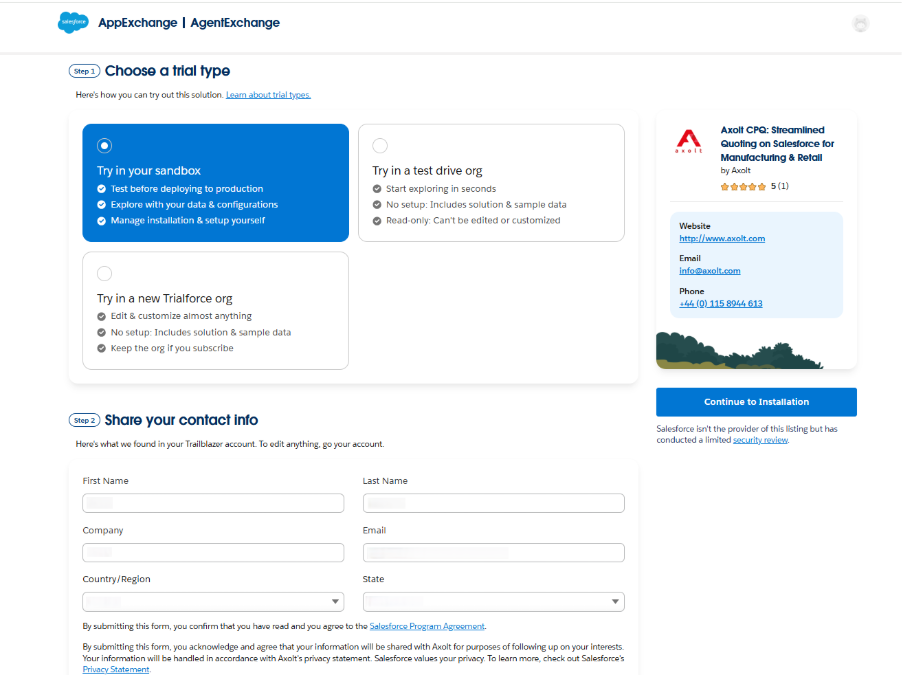
a. Try in your Sandbox
- Select Try in your Sandbox and fill in the required details.
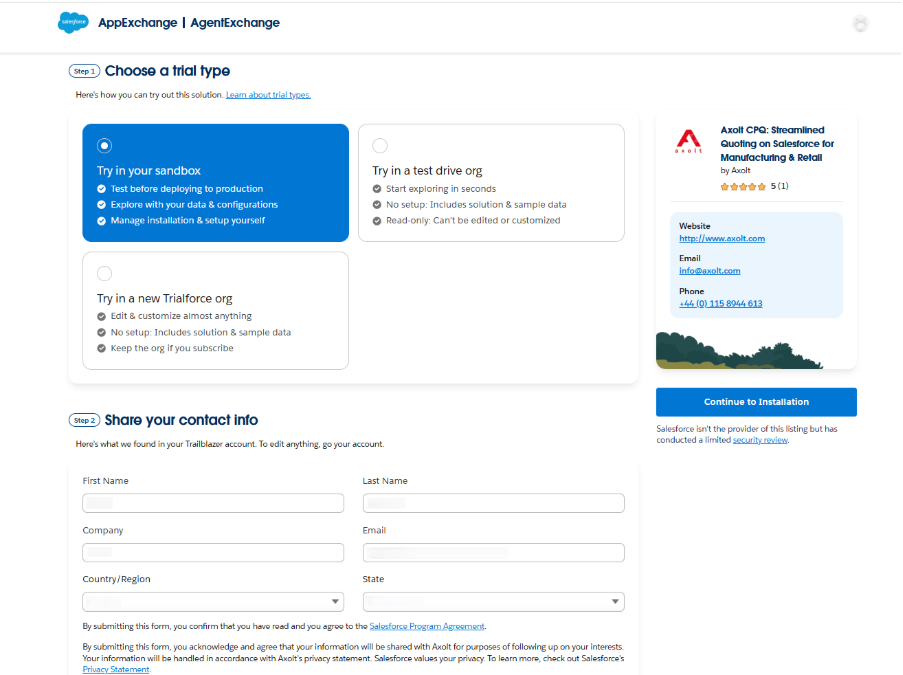
- After filling in the required details, select the checkbox below (if required and) click the Continue to Installation button.
- After clicking Continue to Installation, the below screen appears.
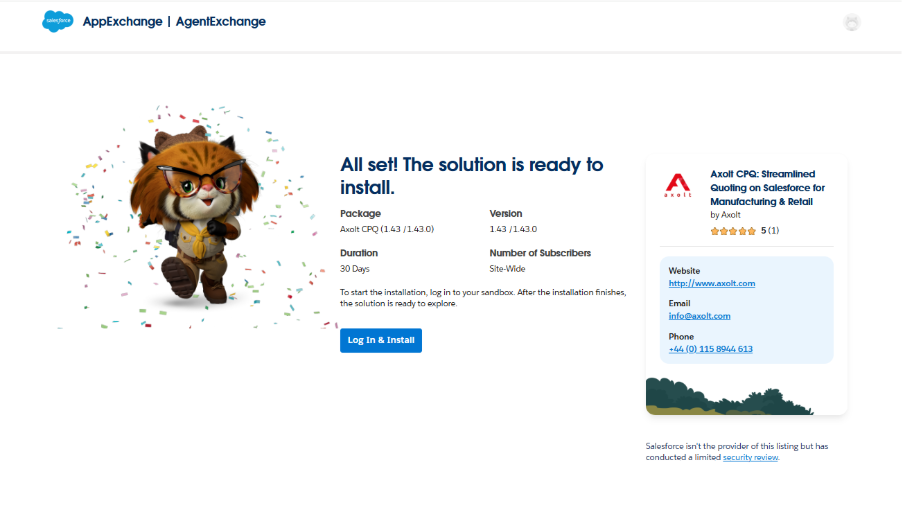
- Click on Log In & Install, and you will be taken to the login page.
- Enter your Username and Password, then click Log In to proceed.
- Once logged in, you will be directed to the package installation screen.
- Enter the Installation Key (“Aqxolt55”), select Install for All Users, and click Install.
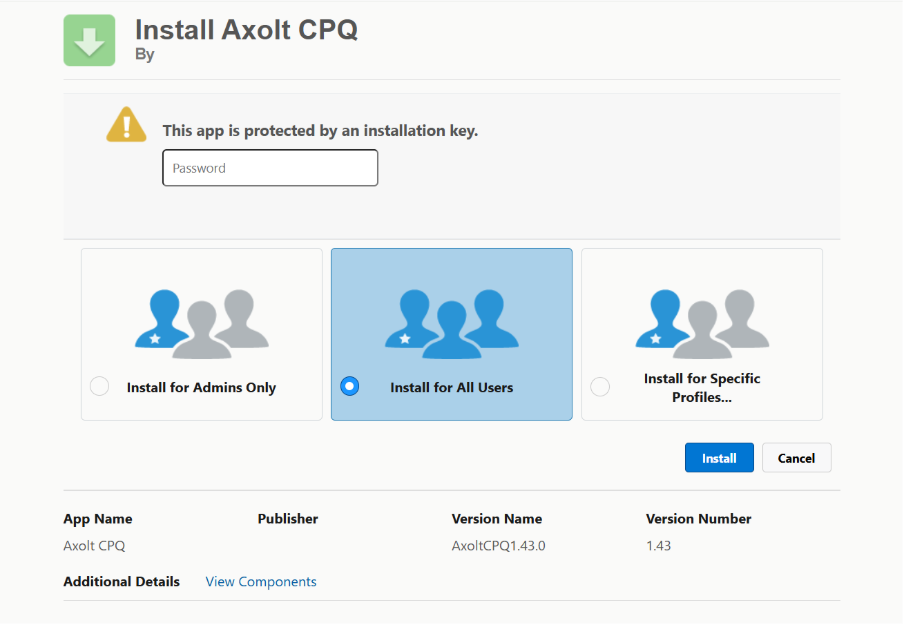
- Once the package is successfully installed, users will receive a confirmation email.
b.Try in a test drive org.
- Select Try in a test drive org and fill in the required details.

- After filling in the required details, select the checkbox below (if required and) click the Continue to Test Drive button.
- After clicking Continue to Test Drive, the below screen appears.

- Clicking on Start Test Drive, you will be navigated to pre-configured org and package will be already available.
c. Try in a new trail force org.
- Select Try in a new trail force org and fill in the required details.
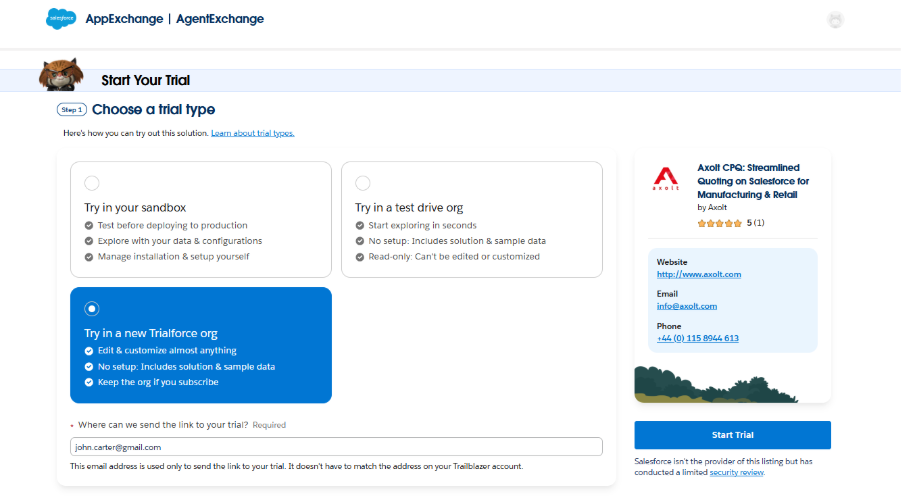
- After filling in the required details, select the checkbox below (if required and) click the Start Trial button.
- After clicking Start Trial, the below screen appears.
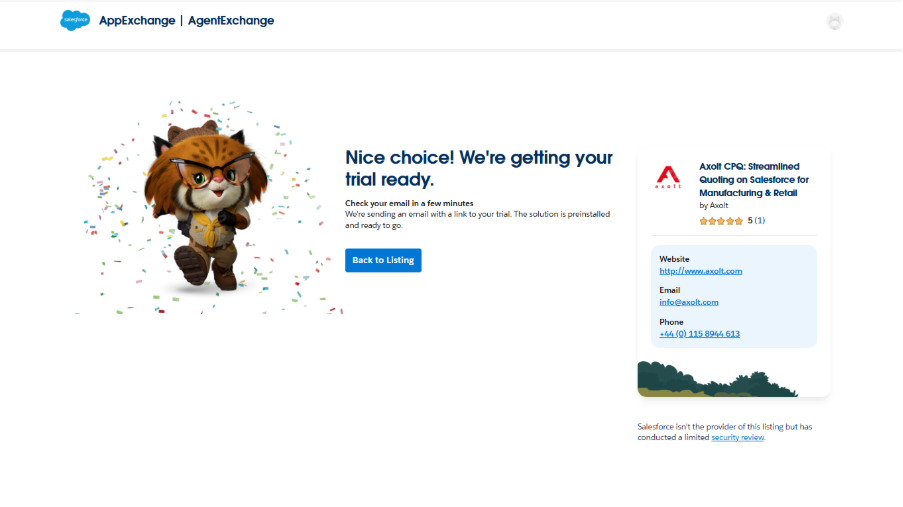
- Click the link in the email, and you will be taken to a Trial Force org where the package is pre-installed.
Was this article helpful?