
Workbench
On this page
This article is not available in 日本語 yet. You are reading the English original.
Workbench
Workbench is for the service provider where Resource can manage their customer appointments.
- Click on app launcher and select workbench. You will be presented with the screenshot below:
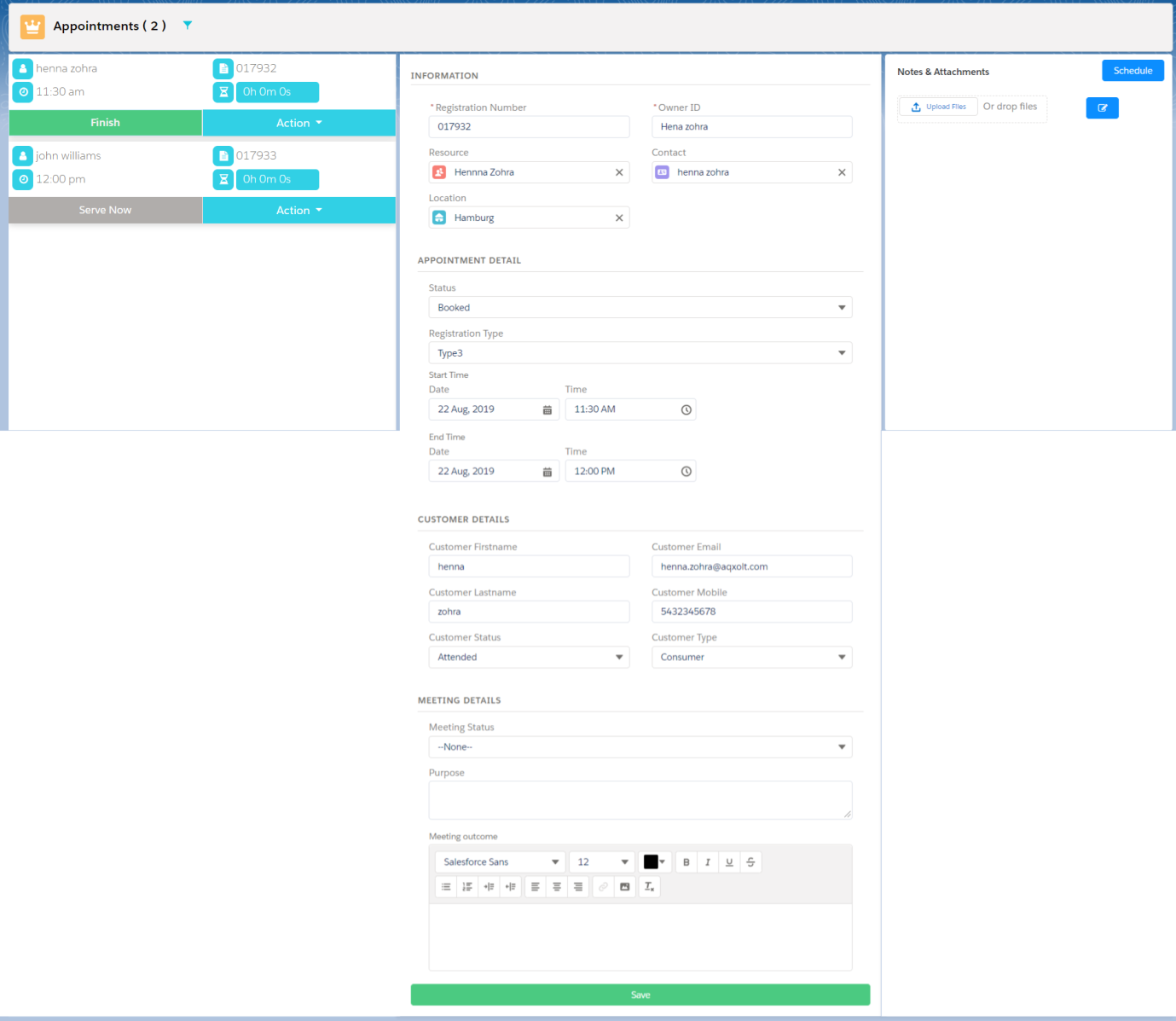
- You can also filter the Location, Program, services, team and resources.
- You can also manage the registration by clicking on serve now button all the details get populated on the information.
- And you can also reschedule, no show and cancel your appointments by clicking on the action button
- Click on the finish button to complete your service.
Was this article helpful?