
Inventory/Stock Transfer
On this page
This article is not available in 日本語 yet. You are reading the English original.
As a customer, I need the ability to transfer the products from one warehouse to another warehouse or from one location to another within the same warehouse in a simpler way. Also need the ability to store it in the cart and transfer based on the requirement of products.
- Navigate to the App Launcher and select the Stock Transfer Tab.
- In the Stock Transfer section, select the Source Site and the Cart associated with the source site.
- Click the “New” button item to pick the items and transfer.
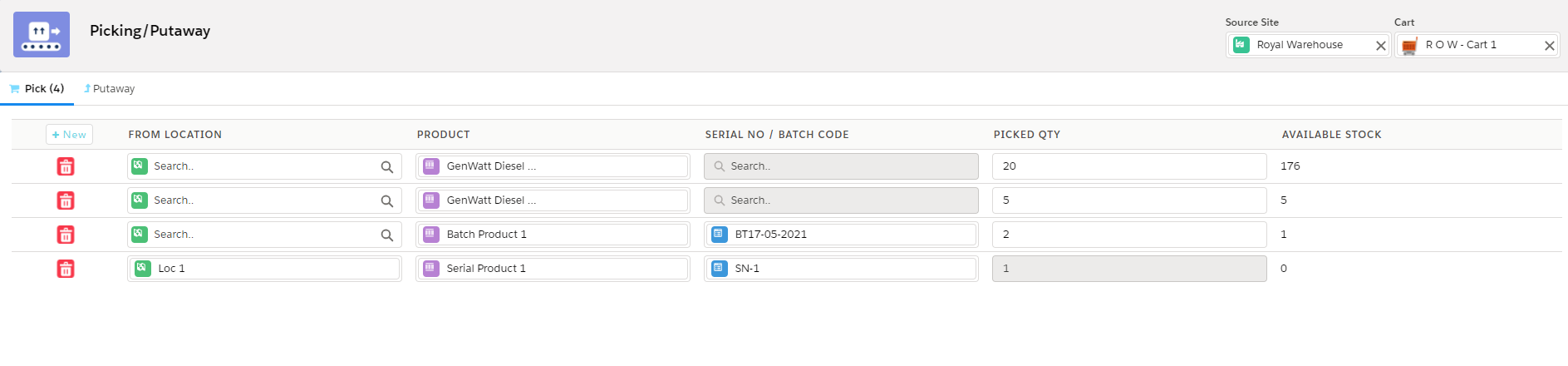
- Select the Location from where the item is picked.
- Select the product that needs to be transferred.
- Select the Serial No/ Batch Code of the product after selecting the product if the product is batch/serialized.
- Enter the Quantity to be picked.
- Click the Putaway tab and select the Destination Site.
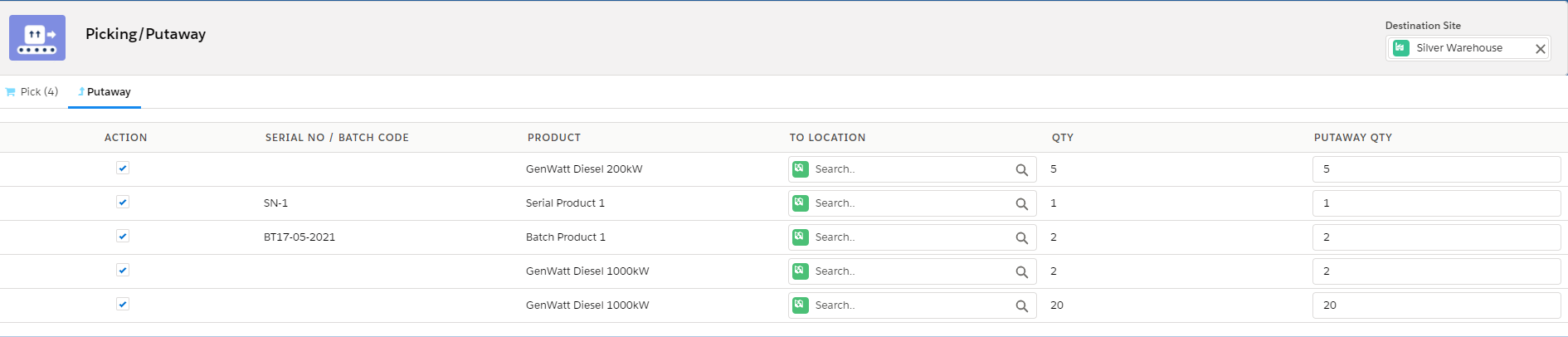
- Select the Location of the site to put away the items.
- Select the items in the action section and click the “Putaway” button to complete the stock transfer process.
Was this article helpful?