
Credentials Setup
On this page
This article is not available in 日本語 yet. You are reading the English original.
To setup the Payment (Authorized.Net, PayPal, Stripe etc.) and DocuSign Credentials in Aqxolt CPQ, navigate to the Credentials Setup page and setup the Credentials.
Find the Credential Setup tab from the App Launcher.

Open the tab and Navigate to the Payments section to setup the Credentials for different types of Payments.
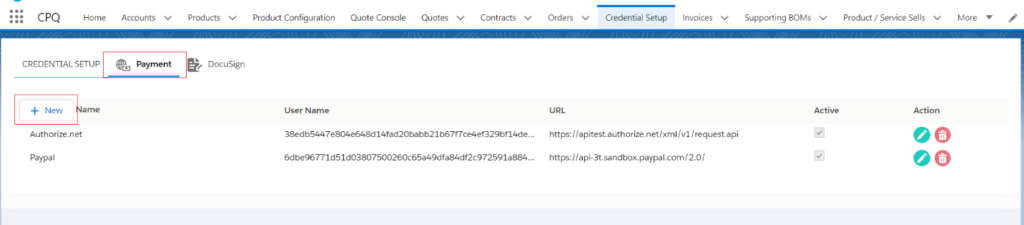
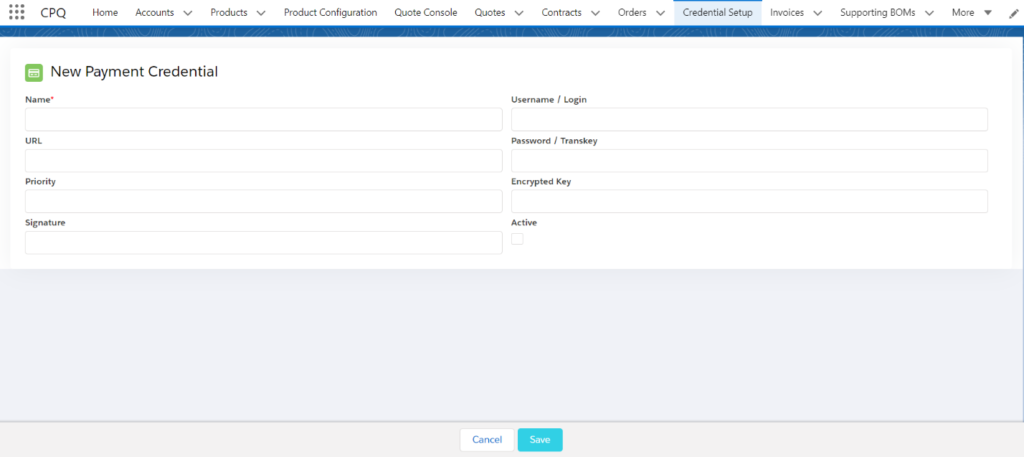
Click on the New button, once Credentials setup page appear, enter all the required information, and click on Save.
Navigate to the DocuSign section by clicking on DocuSign section.
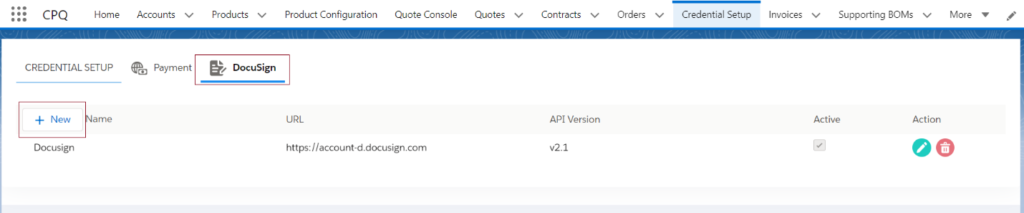
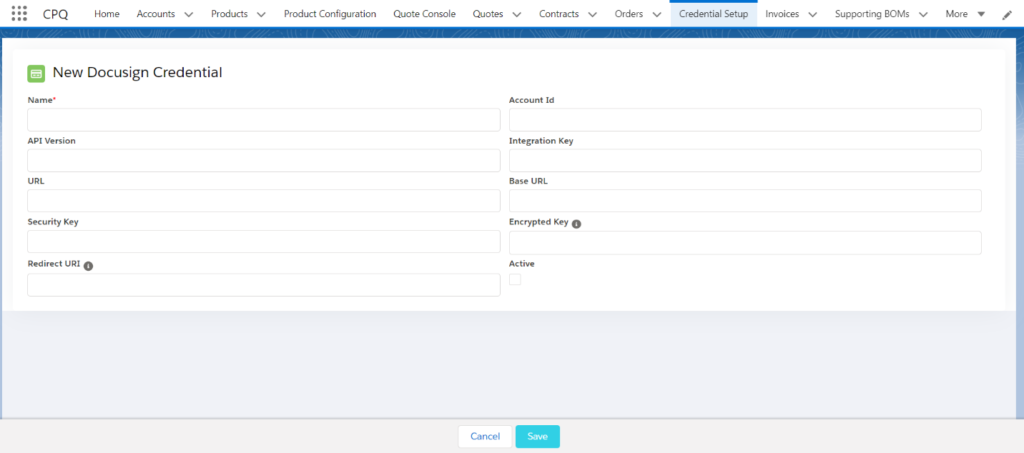
Click on the New button, once Credentials setup page appear, enter all the required information, and click on Save.
Was this article helpful?