
Purchase Orders to logistics
On this page
This article is not available in Français yet. You are reading the English original.
As a customer, I need the ability to create an Inbound Logistic from multiple purchase orders and to create a partial logistic from the selected purchase orders either by entering available quantity or by selecting the required line items.
When the customer wants to create a logistic from multiple purchase orders or to create a partial logistic of type inbound.
- Navigate to the App Launcher and select the ‘Purchase Orders to Logistic’ tab. It will show all the purchase orders for which the ‘Ready to Receive’ check box is not enabled.
- You can search for the purchase order by entering the name of the order in the search box.
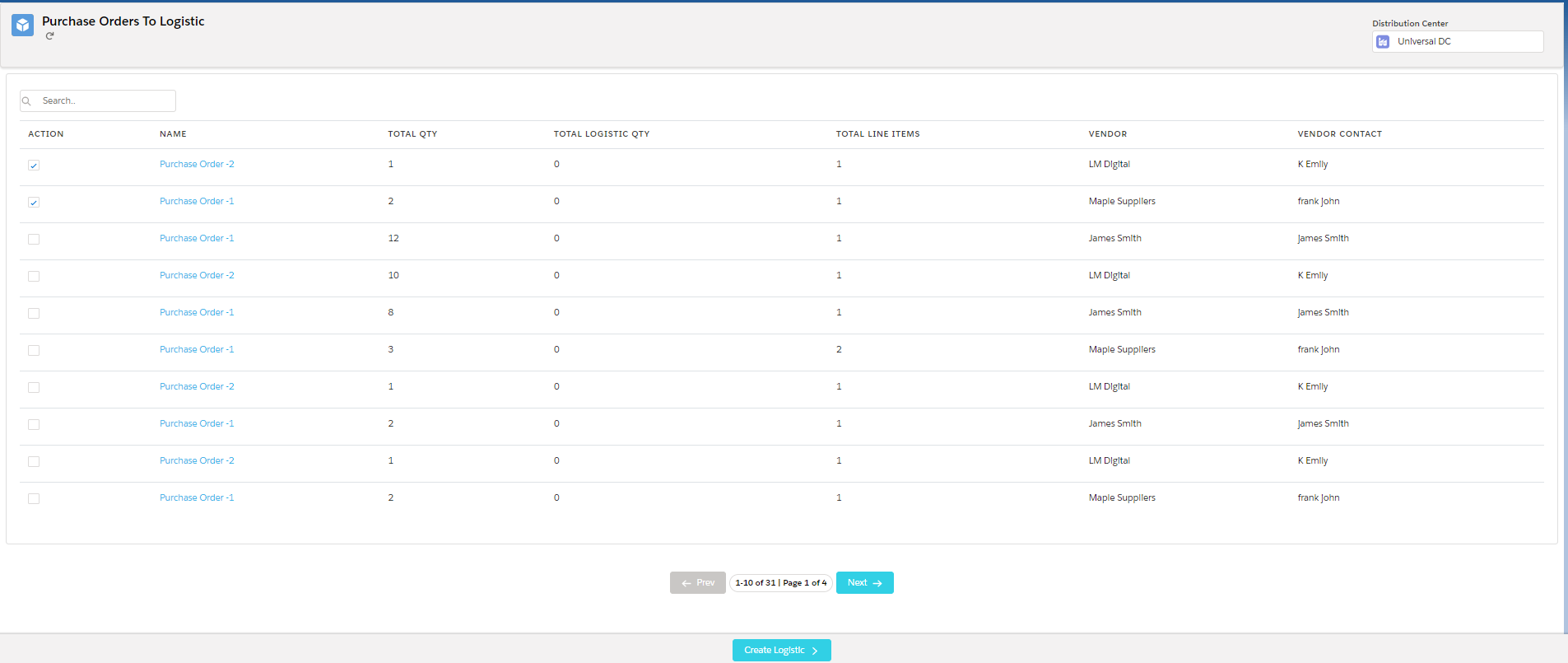
- Select the purchase orders and click on the ‘Create Logistic’ button.
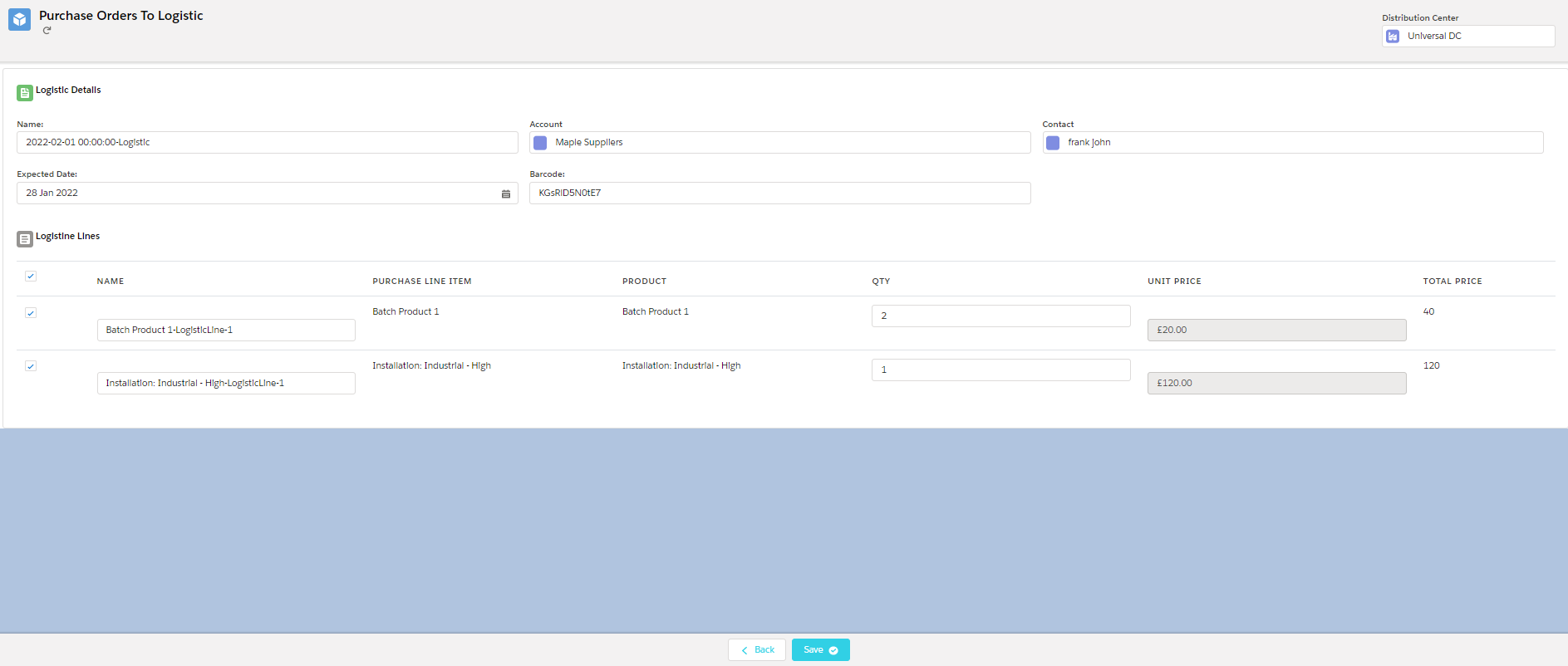
- Enter the required details and click on the ‘Save’ button to create a logistic.
Was this article helpful?