
Sales Orders to logistics
On this page
This article is not available in Deutsch yet. You are reading the English original.
As a customer, I need the ability to create an Outbound Logistic from multiple sales orders and to create a partial logistic from the selected sales order either by entering available quantity or by selecting the required line items.
When the customer wants to create a logistic from multiple sales orders or to create a partial logistic.
- Navigate to the App Launcher and select the ‘Orders to Logistic’ tab. It will show all the orders for which the ‘Ready to Pick & Pack’ check box is not enabled.
- You can search for the order by entering the name of the order in the search box.
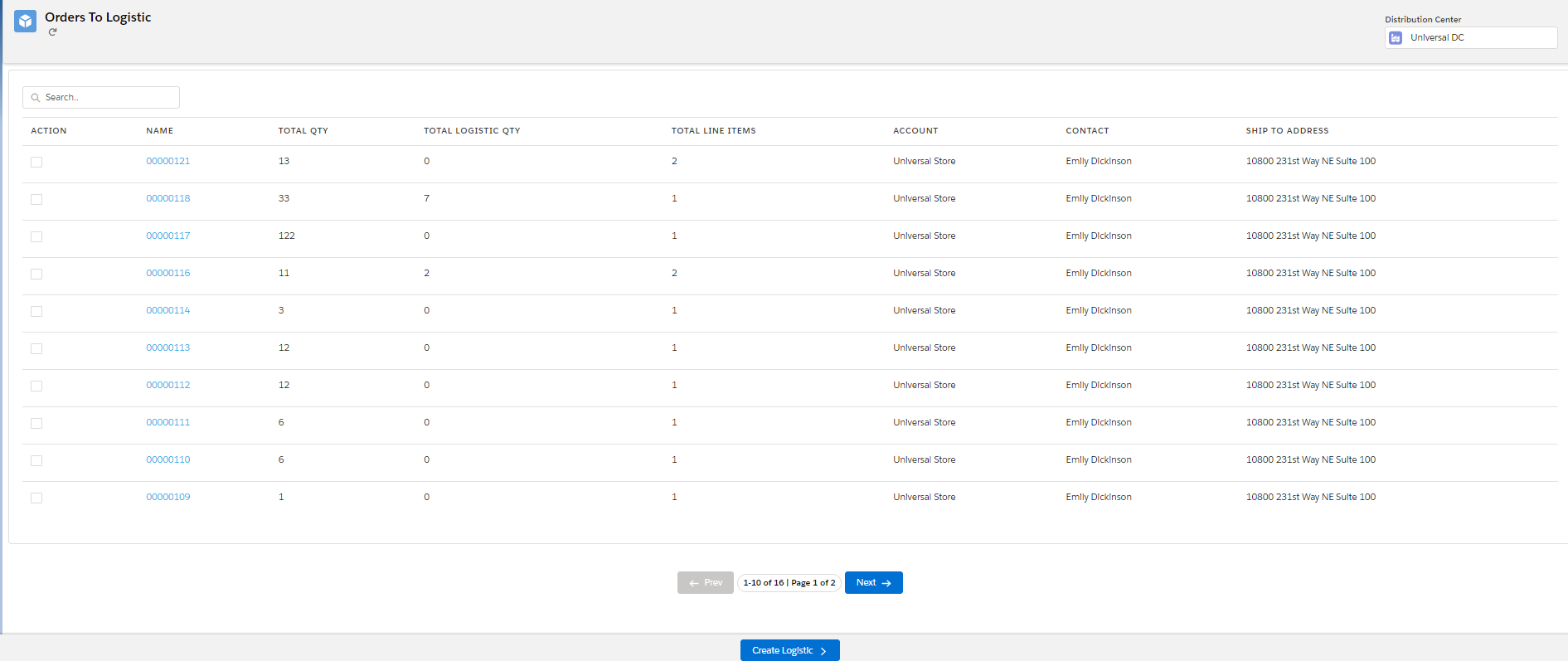
- Select the orders and click on the ‘Create Logistic’ button.
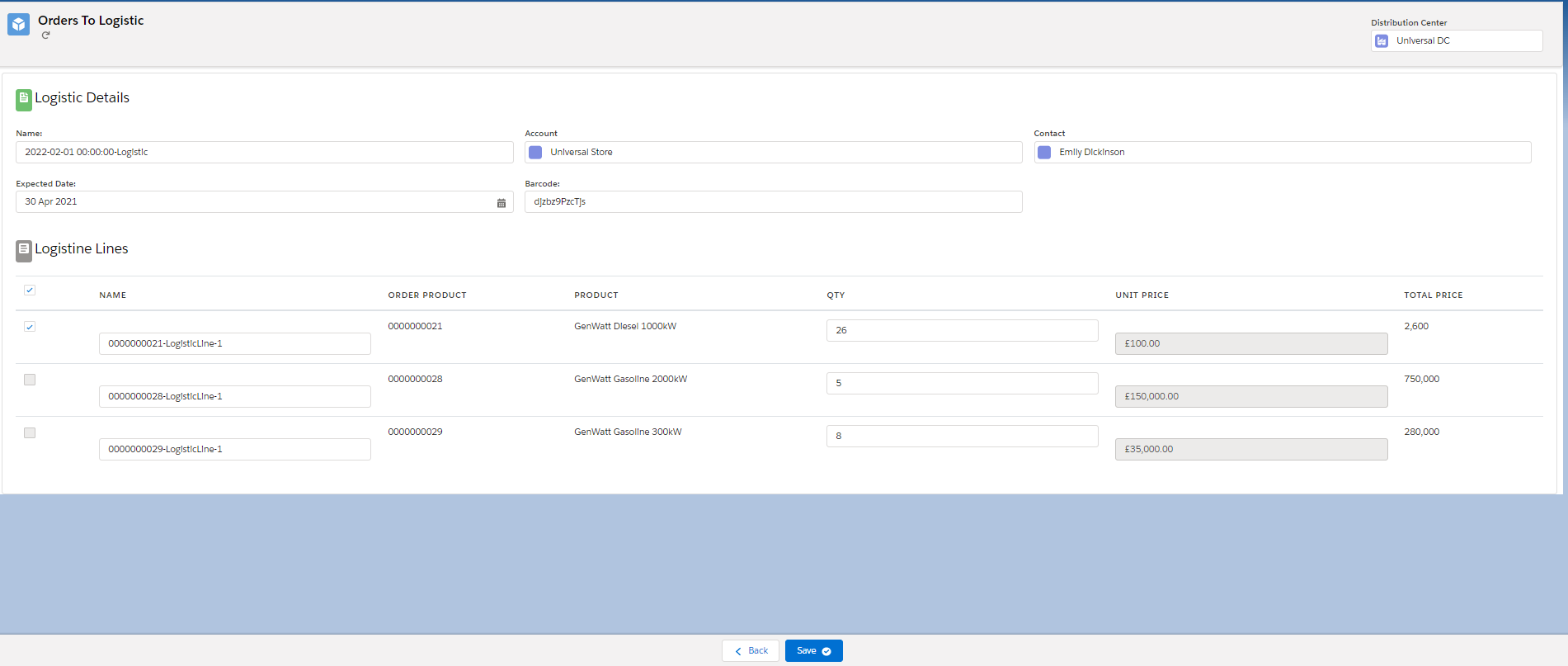
- Enter the required details and click on the ‘Save’ button to create a logistic.
Was this article helpful?